
When you buy through our links, we may earn a commission. Products or services may be offered by an affiliated entity. Learn more.
Best Sleep Trackers of 2026

Numbers don’t lie. You’ve probably heard this applied to business or sports, but it’s becoming increasingly relevant to sleep, thanks to the technology found in sleep trackers.
With a sleep tracker, you can get a clear look at the quantity and quality of your sleep on a nightly basis, and it can also help identify sleep problems. Many include built-in coaching to improve your sleep habits and can also track progress to see how well different strategies work over time.
Sleep trackers vary based on a number of different factors, from the technology they use to the sensors that monitor your sleep. Our testing team took dozens of them for a spin to see which ones offered the usability and features worthy of a spot on our list of the best trackers of 2026.
Our Top Pick: Oura Ring 4
Through all our hands-on testing, we found the Oura Ring 4 to be the best sleep tracker of 2026. We were huge fans of its variety of health and sleep tracking metrics, plus it’s easy to find your size and wear.
How We Tested the Best Sleep Trackers
Testing Criteria for Sleep Trackers
When it came to finding the best sleep trackers to test, we chose a few key factors to focus on:
- Helpful, easy-to-understand metrics: Each sleep tracker had to offer health data that was digestible and useful for users. Some of the most common sleep metrics measured include sleep stage (light, deep, REM), total time spent asleep, and your sleep score, which is a data point calculated using different algorithms depending on the tracker or app you’re using. Most of the sleep trackers we tested also provided insight into fitness and brain activity measurements, such as heart rate, blood oxygen level, and daily steps.
- Ease of use: Sleep trackers come with a natural learning curve as you navigate a new piece of tech, but we wanted to ensure neither the tracker or the app were too difficult to figure out. The data itself should be easy to access, too. Anyone should feel comfortable working the sleep trackers on our list.
- Comfort: Lastly, we wanted to make sure every sleep tracker on our list felt comfortable to sleep with. Comfort can be pretty subjective, but that’s why we tested out easy-to-wear devices (think the Oura Ring 4). When it came to more involved setups like the Bía Smart Sleep Mask, we prioritized construction, looking out for breathable materials and adjustable headbands.
How We Evaluated
To start, we polled our office to see if anyone had any preferences or previous experience with sleep trackers. From there, we researched other popular sleep trackers, coming up with a list of wearables to test. We prioritized having a variety of options (rings, watchbands, and headbands), and chose to base our top picks around digestible health measurements, comfortable wear, and ease of use.
We tried each of these sleep trackers for around 30 days to ensure the device had enough time to get acclimated to our sleep habits and, in some cases, offer personalized health suggestions.
During the trial period, our testers didn’t change anything about their day-to-day routine to ensure trackers were capturing accurate data. After testing, we ranked each of the sleep trackers to come up with a total score out of 10 and assigned accolades depending on our hands-on experience.
Our Testing Team

Mary Fenton
Head of Product Content
Full Bio

Logan Foley
Executive Product Director
Full Bio

Jeremy Klein
Product Testing Manager
Full Bio

Brad Nehring
Product Testing Manager
Full Bio

Colin Simpson
Product Research Manager
Full Bio
Best Overall
9.1/10Test Lab Score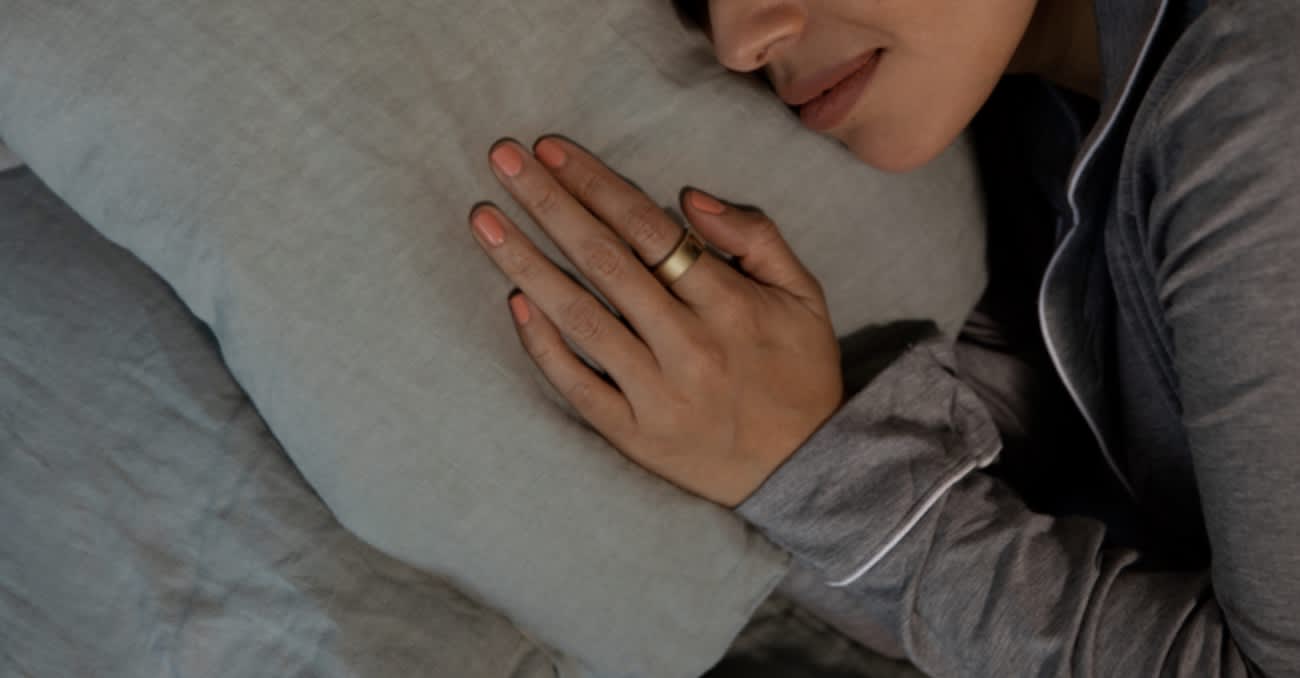
Oura Ring 4
Key Details
- What It Is: The Oura Ring 4 is a sleek sleep tracker that fits comfortably on your finger. It measures a variety of sleep, wellness, and activity metrics to provide an all-around personalized health experience.
- Who It’s Best For: Users who want sleep, health, and activity metrics matched with a non-invasive wearable.
- Highlights: It’s easy to use and wear, provides a wide variety of health measurements, and the battery life is lengthy.
- Drawbacks: You need a membership to access all of your data via the accompanying Oura app. It can also take some time for the ring to calibrate to your health and sleep habits.
Full Breakdown
How do you wear the Oura Ring 4?
The Oura Ring 4 functions like any other ring you’d wear on a daily basis. When we tried it out, our tester said that he barely noticed it, with the exception of when he wore it during workouts.
“The device is technically designed for either the index or middle finger, but the goal should be a comfortably snug fit,” he said. “After placing an order, you’ll receive a free kit with sample rings in several sizes. I personally found that the most comfortable size fit snugly on my ring finger, so that’s the size I chose. This turned out to be perfectly fine.”
What does the Oura Ring 4 measure?
Oura Ring 4 Ceramic is equipped with sensors that measure your heart rate, temperature trends, and blood oxygen levels throughout the day and night. It translates this data into three scores — Sleep Score, Activity Score, and Readiness Score — to illuminate trends in your sleep and how sleep affects your daily life. Oura Ring 4 Ceramic also serves as a fitness tracker and a trusted guide that provides tips to optimize your health.
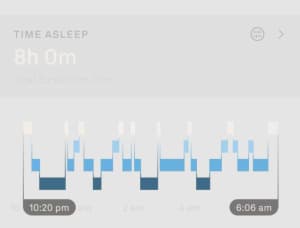
Other metrics include:
- Sleep stages (deep sleep, REM sleep, light sleep) and how much time was spent in each stage
- Nighttime movement
- Illness detection via shifts in your temperature and heart rate
- Women’s health insights, including cycle predictions and fertility tracking
- Cardiovascular capacity and 24/7 heart rate tracking
How do you see your metrics?
To see your metrics, you’ll have to download Oura’s accompanying app on a smart phone or device with iOS 15.0+ or Android 10+ (with Google Play). The app is relatively easy to navigate, especially if you’re only using it to check in with your sleep metrics. The Oura Ring syncs your data to the app overnight so you can log in the next morning to receive your insights.

Why we like the Oura Ring 4
The Oura Ring 4 Ceramic has a sleek, stylish look that complements its in-depth tracking of sleep and daily activity. One charge gets you up to eight days of battery life, and the ceramic build is lightweight and gentle on your skin.
In our Oura Ring review, we noted that we found it to be a generally impressive device thanks to its sleep and activity tracking. It provides a wealth of data without being too distracting to wear.
What we don’t like about the Oura Ring 4
To get access to your metrics, you have to download the app and sign up for a subscription, which costs $5.99/month or $69.99/year.
Best Multipurpose Tracking
8.6/10Test Lab Score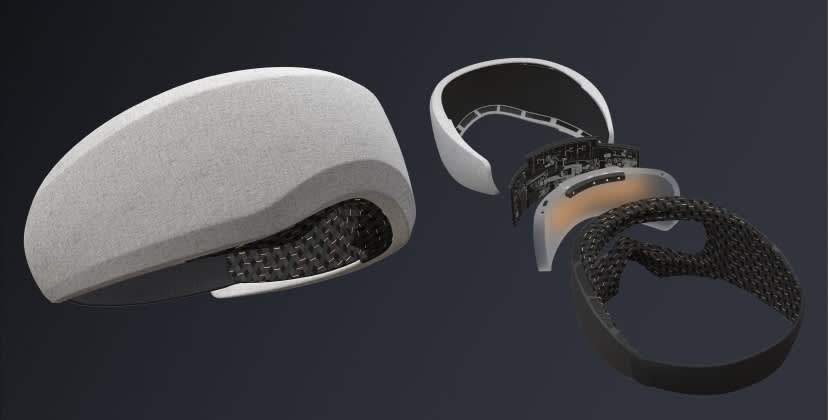
Bía Smart Sleep Mask
Key Details
- What It Is: A smart sleep mask that tracks data while shielding you from disruptive light. Choose from relaxing soundscapes and use it as a soothing sunrise alarm for breezy wakeup calls.
- Who It’s Best For: People looking for an immersive sleep tracking experience with relaxing features, like soundscapes and guided meditations.
- Highlights: It tracks sleep metrics and brain activity while also offering soothing bedtime capabilities, like a morning sunrise alarm. It’s also made to feel comfortable in all sleeping positions.
- Drawbacks: Despite its soft material, it may take some time to get used to wearing this headband at night. It’s also pretty expensive.
Full Breakdown
How do you wear the Bía Smart Sleep Mask?
The Bía Smart Sleep Mask is a headband that’s worn over the eyes, like a sleep mask. While a bit clunkier, it offers soothing bedtime features like relaxing soundscapes, a morning sunrise alarm, 100% blackout capabilities, and a soft material that was engineered to feel comfortable for all sleeping positions.
What does the Bía Smart Sleep Mask measure?
This sleep tracker measures your sleep stages and how much time you spent in them. It also has a Sleep Autopilot feature, which uses an algorithm based on functional near-infrared spectroscopy (fNIS) brain tracking to measure the connection between any sounds heard and your sleep.
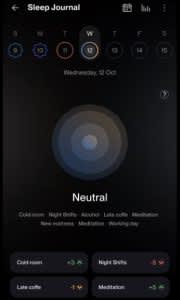
You can use the accompanying Bía app for its sleep journal feature, where it’ll also ask about your daily activities (think consumption of alcohol or caffeine, naps, walks, or meditation). With consistent use, the app will begin to track your habits and suggest things to do so you can get better sleep each night.
How do you see your metrics?
Sleep metrics are all available for viewing on the Bía app. Your purchase of the mask includes your lifetime subscription, so you don’t have to worry about paying more for that, either.
Why we like the Bía Smart Sleep Mask
For a multipurpose sleep tracker, the Bia Smart Sleep Mask takes the top spot. It uses advanced technology to monitor brain activity and track your sleep stages. It also blocks out external light, offers a simulated sunrise wake-up function, and plays relaxing music tailored to help you fall asleep quickly.
What we don’t like about the Bía Smart Sleep Mask
The Bía Smart Sleep Mask is more expensive than most sleep trackers. It also isn’t a good option for people who are uncomfortable wearing something on their face at night.
Best Features
8.7/10Test Lab Score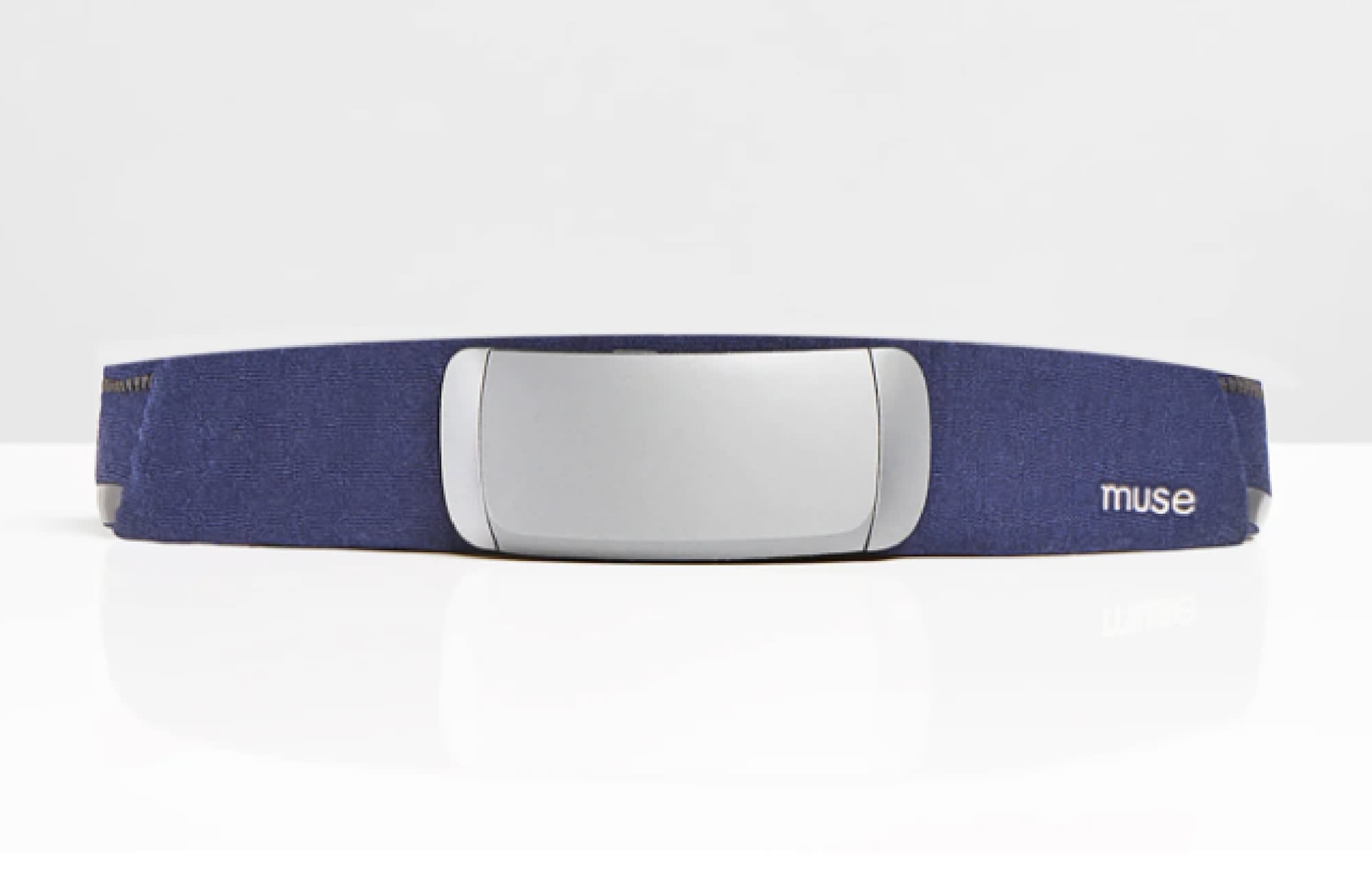
Muse S Athena + App
Key Details
- What It Is: A high-tech headband that tracks brain activity and overall sleep quality. It uses fNIRS and EEG tech to measure brain activity, heart rate, breath, and body movement in real time.
- Who It’s Best For: Users looking to learn more about the connection between their brain activity, heart rate, and general health.
- Highlights: Real-time health metrics are available on the app, along with guided meditations and soundscapes. You can view your brain activity and heart rate before and after doing these activities.
- Drawbacks: It’s expensive, and it’s more of an overall wellness tracker than a sleep tracker.
Full Breakdown
How do you wear the Muse S Athena Sleep Tracker?
The Muse S Headband is worn as a headband that stops at your temples. It’s made with a plush, breathable fabric that’s meant to offer comfort for longterm wear.
What does the Muse S Athena Sleep Tracker measure?
The Muse S Athena measures brain activity and blood flow using fNIRS and electroencephalogram (EEG) technology. This means you’ll receive metrics like:
- Brain activity
- Heart rate
- Breath
- Body movement
During the times that you wear the headband, you’ll get audio, real-time feedback based on your brain activity.
How do you see your metrics?
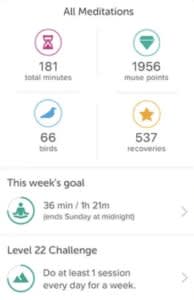
You can view your real-time metrics on the Muse app. Besides tracking your sleep and brain insights, you can also listen to soothing soundscapes and guided meditation sessions to prepare for a relaxing night’s rest.
Why we like the Muse S Athena Sleep Tracker
The Muse S Athena Headband Sleep Tracker and App boast an impressive list of features, including sensors that collect a diverse range of data about your sleep. The tracker is designed to pair with Muse’s app and build synergy between your sleep and a regular meditation practice.
What we don’t like about the Muse S Athena Sleep Tracker
Some sleepers may find it uncomfortable to wear a headband during the night. And in addition to the expensive up-front price, a subscription is required to get the most out of the meditation library.
Best Customized Reporting
8.7/10Test Lab Score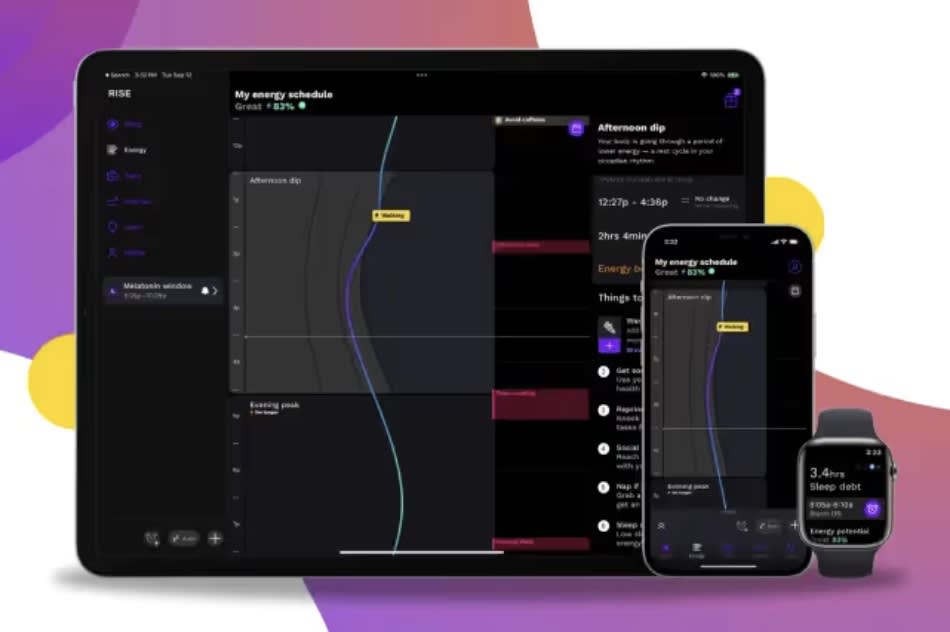
RISE App
Key Details
- What It Is: RISE App is an energy and sleep tracker app compatible with iOS and Android devices. It uses passive data tracking to record how much sleep you get each night and provides personalized coaching based on your sleep habits and struggles.
- Who It’s Best For: People who want to reduce their sleep debt.
- Highlights: Passive data tracking means very little interaction is required with the app. Not needing to wear a device will be an added bonus for some users.
- Drawbacks: While the app is ideal for people who want a minimalist sleep tracker, the flip side is that users who want a more involved sleep tracker may want to keep shopping.
Full Breakdown
How do you wear the RISE App?
The RISE App does not require any wearable elements. You can sync the app to your current wearable tracker if you use one, but all data tracking and reporting is performed through the app on your phone, tablet, or Apple Watch.
What does the RISE App measure?
The RISE App measures how much time you spend asleep each night. This app’s passive data tracking measures sleep based on interactions with your phone before going to bed and after waking up, as well as any activity in the middle of the night. Data from your wearable device, such as daily steps, also syncs with the app.
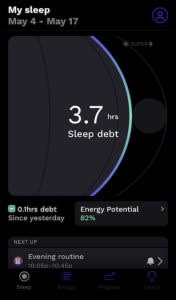
The app’s target metric is sleep debt. Based on your sleep patterns, the RISE App can build nightly bedtime schedules based on reducing your sleep debt and getting you on track to consistently healthy sleep. You’ll also receive personalized reminders for improving your sleep habits with science-backed sources. Built-in meditations and guided breathing exercises can help you relax in the hours leading up to sleep, and the app’s gentle smart alarm helps you wake up in the morning without loud noises.
How do you see your metrics?
You can view your personal data at any time by opening the app on your device. RISE App is compatible with iOS and Android devices, including Apple Watch.
Why we like the RISE App
RISE App is “hands-free” in the most literal sense, since you don’t have to wear or tap any device to start and stop the sleep data tracking. Those who want to nip sleep debt in the bud can benefit from the app’s tailored sleep scheduling. The relaxation programs, personal reminders, and smart alarm are nice touches, as well. Additionally, those who sign up for the app through SleepFoundation.org receive an exclusive 14-night trial period.
What we don’t like about the RISE App
RISE App specifically targets people who want to reduce their sleep debt. Due to this primary focus, the app may not include enough viewable data for users seeking a tracker that records a wider range of sleep metrics.
Best Non-Wearable Technology
9.0/10Test Lab Score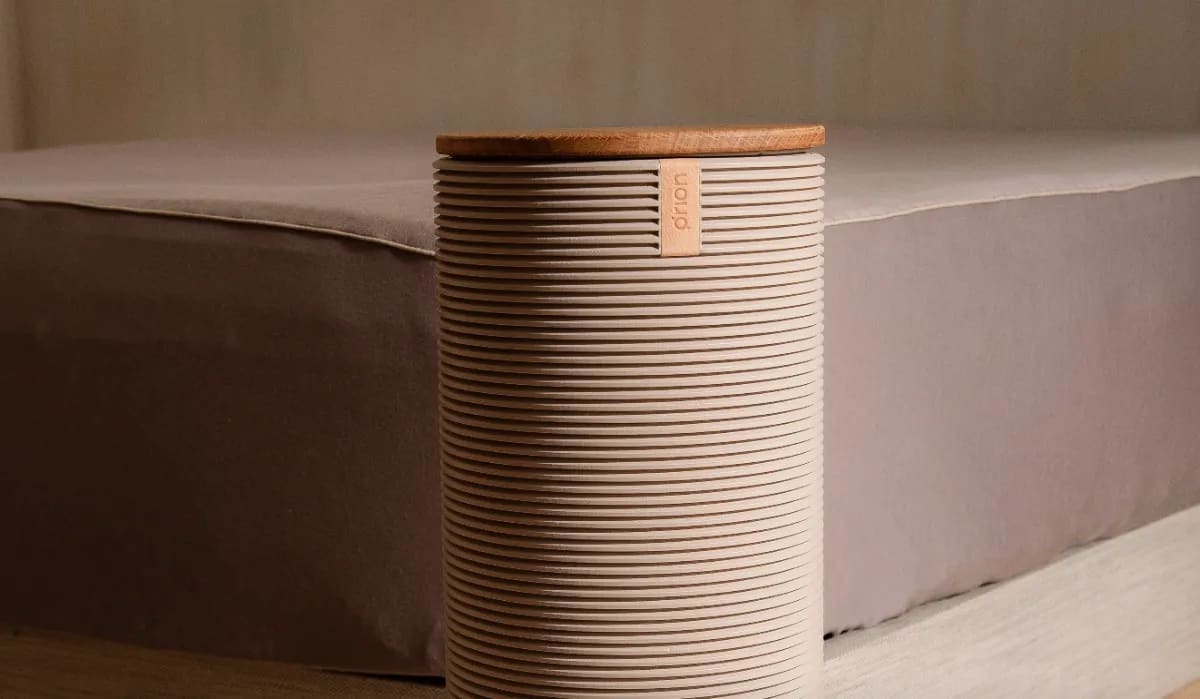
Orion Sleep System
Key Details
- What It Is: The Orion Sleepy System is a temperature-controlled mattress pad that allows you to adjust the temperature on your side of the bed between a range of 50 to 115 degrees Fahrenheit. Your partner may customize their side in the same fashion. Biometric sensors embedded in the pad also track your sleep data, which you can view through a companion app if you have a subscription.
- Who It’s Best For: People who run hot in bed, feel chilly without a stack of blankets, or otherwise want to change the temperature of their sleep surface to match the current climate. The tracking features are also appealing to people who want to view their sleep biometrics.
- Highlights: With a range of 50 to 115 degrees, the Orion Sleep System allows you to pinpoint the exact degree you want for your side’s surface temperature. This feature is beneficial to sleep whether you use the same setting continuously, or want to mix things up night after night.
- Drawbacks: The Orion Sleep System is pricey, and only compatible with mattress sizes queen or larger.
Full Breakdown
How do you wear the Orion Sleep System?
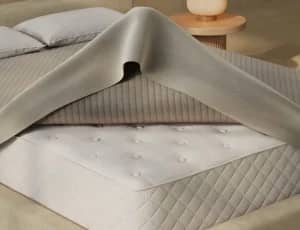
You don’t! The Orion Sleep System consists of a mattress pad with elastic corners that fits around the top surface of your bed like a fitted sheet. Tiny tubes run through the pad and connect to an exterior hub, which contains a water reservoir. After you set your desired temperature, the hub will heat or cool the water, then disperse it through the tubes on your side of the bed.
Biometric sensors embedded in the pad also track your sleep data. These sensors are activated by physical contact, so you won’t need a wearable device for tracking.
What does the Orion Sleep System measure?
The Orion Sleep System’s biometric sensors track sleep stages, heart rate, breathing rate, and heart rate variability. These sensors allow the Orion to automatically adjust the settings based on your sleep patterns, ensuring a good night’s rest at the ideal temperature.
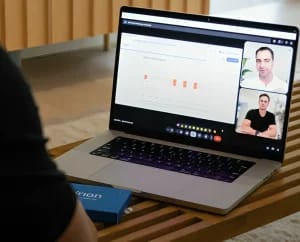
Orion also offers one-on-one consultations with dedicated sleep advisors. After ordering and taking the Orion Sleep Disruption test at home, you’ll meet with your advisor online to discuss your nightly patterns and sleep struggles. This can help you determine how the Orion Sleep System will help you.
How do you see your metrics?
The Orion Sleep System’s companion app allows you to view biometric data and adjust the pad’s temperature settings. You’ll need to sign up for a monthly subscription to gain access to the app and your tracking data, but the temperature customizations do not require the app.
Why we like the Orion Sleep System
With 65 unique settings, the Orion Sleep System offers a very impressive temperature range that should satisfy hot sleepers, cold sleepers, and everyone in between. Smart sleep tracking is an added bonus. The biometric sensors pick up on a fair amount of data, and the automatic adjustments based on your patterns helps ensure you’ll always sleep at the right temperature.
What we don’t like about the Orion Sleep System
The sticker price is expensive, and the subscription with companion app access further adds to the up-front charges. While the advanced technology may be worth the investment for people who lose sleep due to temperature-related issues, cost may be a dealbreaker for shoppers with strict budgets.
Comparison Chart: Best Sleep Trackers
| Oura Ring 4 | Bía Smart Sleep Mask | Muse S Athena | RISE App | Orion Sleep System | |
|---|---|---|---|---|---|
| Subscription Price | $69.99/year | Lifetime subscription included | $49.99/year | $69.99/year | Starts at $250/year |
| Type of Wearable | Ring | Sleep mask | Headband | App | Non-wearable (mattress cover) |
| Battery Life | 5 to 8 days | 10 hours | Up to 10 hours | Varies by phone battery | No battery |
| Our Favorite Insights | Sleep stages, nighttime movement | Sleep stages, brain activity | Real-time brain activity and heart rate | Time asleep, sleep debt | Sleep stages, breathing rate, heart rate variability |
| Overall Rating | 9.1 | 8.6 | 8.7 | 8.7 | 9.2 |
Best Sleep Trackers Video
Watch the video below to learn more about our recommendations for the best sleep trackers.
What Is a Sleep Tracker?
A sleep tracker is a device that gathers information related to how much or how well you sleep.
Because sleep is complex, there’s no single measurement that perfectly reflects whether or not you’re getting a good night’s sleep. To address that, sleep trackers first collect raw data and then use an algorithm to interpret what the data says about your sleep.
For example, a sleep tracker might measure how much physical movement you have during the night. If it detects that you were out running a 5k at 4 a.m., it can easily calculate that your sleep was lacking.
Of course, the reality is much more nuanced. Depending on the type of tracker and its sensors, it may monitor:
- Breathing rate
- Heart rate
- Oxygen levels in your blood
- Body movements
- Noise, including from snoring
- Bedroom temperature
Sleep trackers can be a wearable device like a bracelet or ring. They can also be non-wearable sensors that sit on your bedside table or under your mattress.
Unlike mobile phones and GPS devices, a sleep tracker is engineered specifically to deliver sleep-related insights. Although other devices may collect some similar data, they lack the detail and depth of information offered by a sleep tracker.
Who Should Use a Sleep Tracker?
You should use a sleep tracker if you’re curious about how well you’re sleeping and are looking for ways to get better sleep. Most trackers come with tools to visualize and understand the data and often provide actionable steps to enhance sleep habits.
If you are having difficulty sleeping, a sleep tracker can be a source of relevant information to share with your doctor. Sleep trackers can also help if you have an irregular work schedule and want to keep an eye on the quantity and quality of your sleep.
Sleep trackers are also extremely popular among people who like to measure and optimize different aspects of their lives. For example, athletes and fitness enthusiasts frequently take advantage of insights from sleep trackers to boost their performance and overall health.
Who Shouldn’t Use a Sleep Tracker?
You shouldn’t use a sleep tracker if you’re someone who gets anxious or obsessive about daily health measurements. Worrying too much about “hitting your sleep numbers” can generate stress, which is known to harm sleep.
You also shouldn’t use a sleep tracker as a way to avoid seeing a doctor about serious sleep problems, such as insomnia or constantly dozing off during the day. If you have sleep concerns, a sleep tracker may help, but it should be used in conjunction with advice from a trained health professional.
Are Sleep Trackers Accurate?
Sleep trackers can provide meaningful data, but they aren’t perfectly accurate. Technology in sleep trackers has come a long way, but even sleep experts can’t say exactly how well they measure sleep.
To assess accuracy, a tracker should be compared head-to-head with a home sleep test or a formal sleep study, which takes place overnight in a specialized lab. This type of comparison is not always practical, though, especially since sleep trackers are constantly being updated with new features and technology.
Just remember that your sleep tracker’s findings are not the end-all, be-all. Instead, use the tracker to identify patterns in your sleep and potential areas for improvement while also accounting for things that the tracker doesn’t monitor, like how well-rested you feel when you wake up and how energetic you are throughout the day.
How to Choose a Sleep Tracker
If you want to learn more about your sleep, you have plenty of sleep trackers to choose from. Knowing about the types of trackers and the different features and benefits can help you find a model that will be easy for you to use and give you the information you’re looking for.
Type of Tracker
While we use the term sleep tracker broadly, there are many different types of devices available.
- Wearables for your hand or wrist: This popular category includes rings, wristbands, and advanced smartwatches. They tend to be lightweight, and many can collect health data throughout the day instead of just during sleep.
- Wearables for your head: Headbands and eye masks are the most common sleep trackers that you wear on your head. They are typically meant just for use during sleep. Many have the potential to measure brain activity, which can be a valuable source of data about sleep.
- Under-mattress sensors: These non-wearable trackers go underneath your mattress and collect data over the course of the night. They are an effective and affordable option if you find it bothersome to wear a tracker.
- Smart mattresses: Some technologically advanced mattresses have sensors in the cover that can track sleep. This type of tracker may be a compelling choice if you are also in the market for a new mattress and don’t need daytime activity tracking.
- Smartphone apps: Apps are generally less robust than other sleep trackers because the range of data they collect is limited. However, some apps can provide meaningful data or integrate information from other sources, including wearables.
When deciding which type of tracker is right for you, think about the type of data you want, including whether you want information about your daytime activity or fitness. Also consider whether you’ll be comfortable wearing a device on your head, hand, or wrist while you sleep.
Sleep Data Collected
Make sure to look for a sleep tracker that has sensors to collect the data that’s most important to you. For instance, if you’re concerned about your breathing at night, you’ll want a tracker that measures respiration. Before making a purchase, look closely at exactly what a tracker monitors.
Sleep Analytics and Coaching
Every sleep tracker collects data, but there can be a lot of variation in how that data is analyzed and presented to you.
With some sleep trackers, you’ll get an overall sleep score or charts that help visualize your sleep quantity or quality. Keep in mind, though, that the data analysis is based on the company’s own algorithm, which will have some margin for error. Even the most advanced sleep trackers may not accurately identify sleep stages.
Think about the kind of analytics that would be most meaningful for you, and also consider whether you want a tracker that proactively offers you sleep tips. Make sure that whatever model you buy offers the type of information you need.
Comfort
If you’re like most sleepers, comfort is paramount. You’ll need the tracker to monitor your sleep over many hours, so don’t pick a device that will be a nuisance for you to use or wear.
Battery Life
Most wearable trackers need to be recharged at least once every few days. More frequent charging is usually needed if you want to track daytime activity or workouts.
In contrast, non-wearables can often be plugged in while you sleep, eliminating the need to charge them.
Not sure how much battery life matters to you? Think about your mobile phone and how sensitive you are to whether it’s charged. If it drives you crazy to see the battery drain quickly, look for a sleep tracker with extended battery life.
Display & Apps
For sleep tracking to benefit you, you need to be able to easily understand the information presented to you. Most sleep trackers use a website or app to share sleep analytics, so look for one that has an interface that appeals to you.
Most companies that sell sleep trackers will have screenshots of their user interface on their website. You can look in the Apple or Android App Store for reviews and screenshots of the companion apps of different sleep trackers.
Other Features and Functions
You can narrow down your sleep tracker options if you know that you want one or more specific features, such as:
- Smart alarms or a built-in sunrise alarm clock
- Fitness tracking
- GPS functionality
- Health coaching and motivation
Price
Sleep trackers often cost between $100 and $400, but comparing prices can be challenging because many sleep trackers require you to have a monthly subscription. When thinking about your budget, make sure to take into account whether it’s a one-time or recurring cost.
How to Shop for a Sleep Tracker
Once you’ve narrowed down your options and are choosing among a few sleep trackers, a few factors may help guide your decision:
- Tech compatibility: It can be easy to overlook when thinking about other features, but you want to ensure that the sleep tracker and any companion app are compatible with your computer or mobile phone.
- Verified reviews: Reading reviews from real customers can often provide input about a specific feature or usability issue that may be especially relevant to you.
- Brand reputation: If all else is equal, opt for a brand with a history of building quality products and providing good service to their customers.
- Warranty: A warranty can help protect your investment. While warranty length is obviously important, it’s also worth looking at the warranty terms to understand what is really covered.
- Returns: If you’re on the fence, try to pick a sleep tracker that comes with a trial period allowing free returns if you aren’t satisfied with the product.
In-Store vs. Online Shopping
For sleep trackers, it’s usually better to shop online. The selection in brick-and-mortar stores is often limited, and some brands of sleep trackers are only sold online.
Shopping online lets you browse at your own pace, research the different options, and make a decision when you’re ready. In most cases, you’ll also get the best price by comparison shopping online.
The main reason to consider going to a retail store is that you can see how a wearable device actually feels in real life. That said, if you buy online with free returns, you’ll have a much longer period to test out a sleep tracker for yourself.
In-Depth Sleep Tracker Guides

Still have questions? Ask our community!
Join our Sleep Care Community — a trusted hub of sleep health professionals, product specialists, and people just like you. Whether you need expert sleep advice for your insomnia or you’re searching for the perfect mattress, we’ve got you covered. Get personalized guidance from the experts who know sleep best.
Colin leads our product research team and doubles down as our head of video production. He has a distinct passion for translating complicated topics into fun and digestible content.